Bludit-style folders
Every post or page lives at bl-content/pages/<slug>/index.txt, so imports, backups, and hand edits stay understandable.
Dark-neon publishing, portable by design
TCMS, Ty's Content Management System, or just Ty's CMS, is a PHP blog engine built around Markdown files, Bludit-style folders, SQLite comments, JSON indexes, CSV stats, shortcodes, embeds, and a native AppKit Mac client.
What it is
TCMS keeps the daily publishing path simple: write content as Markdown, store each item in a copy-friendly folder, rebuild the generated index, and let the public theme do the rest. It keeps the author surface powerful, trusting first-party content to include raw HTML, iframes, JavaScript, and executable PHP when the site owner wants that control.
bl-content/pages/hello-neon/index.txt
bl-content/pages/about/index.txt
config/site.json
storage/database/comments.sqlite
storage/stats/visits.csv
Captured from the demo CMS
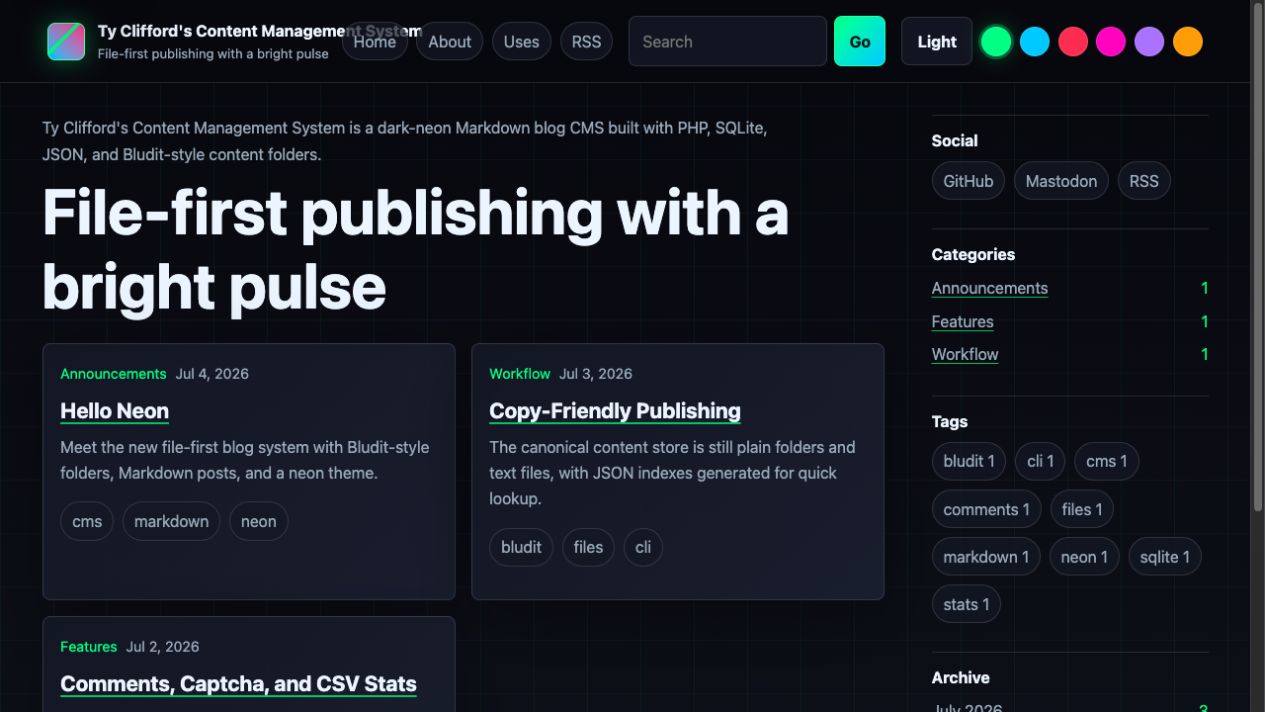
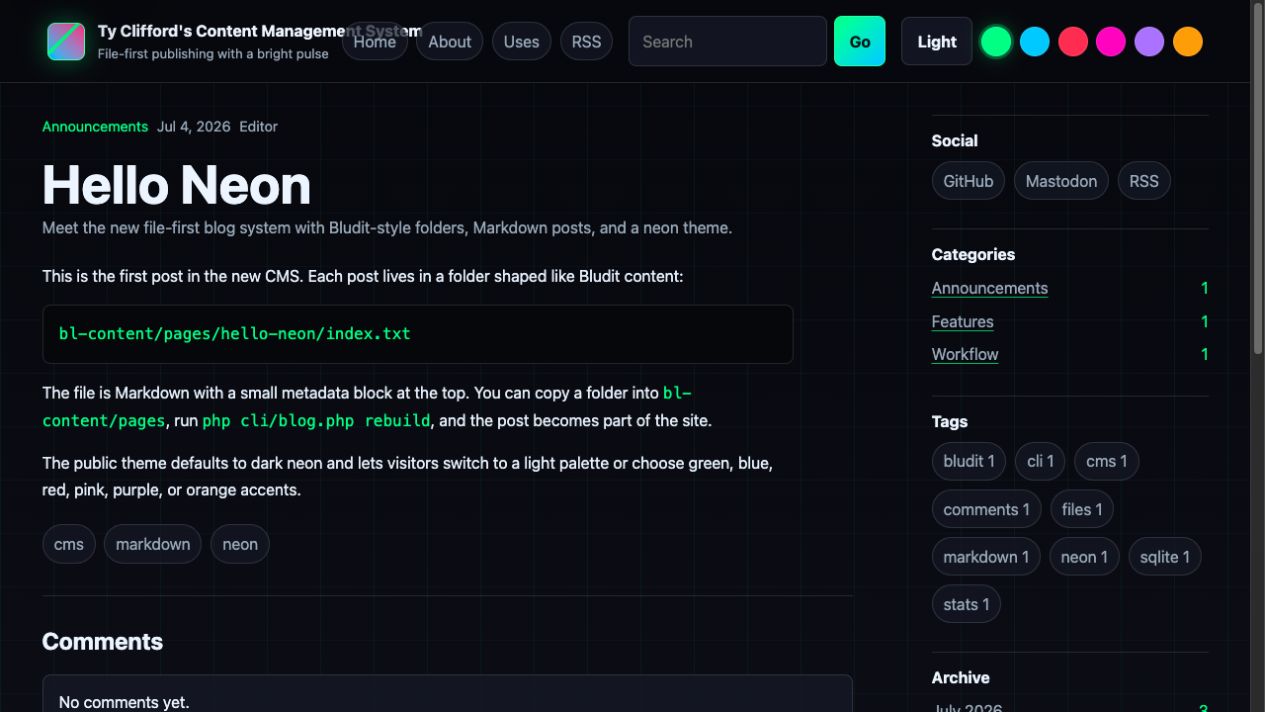
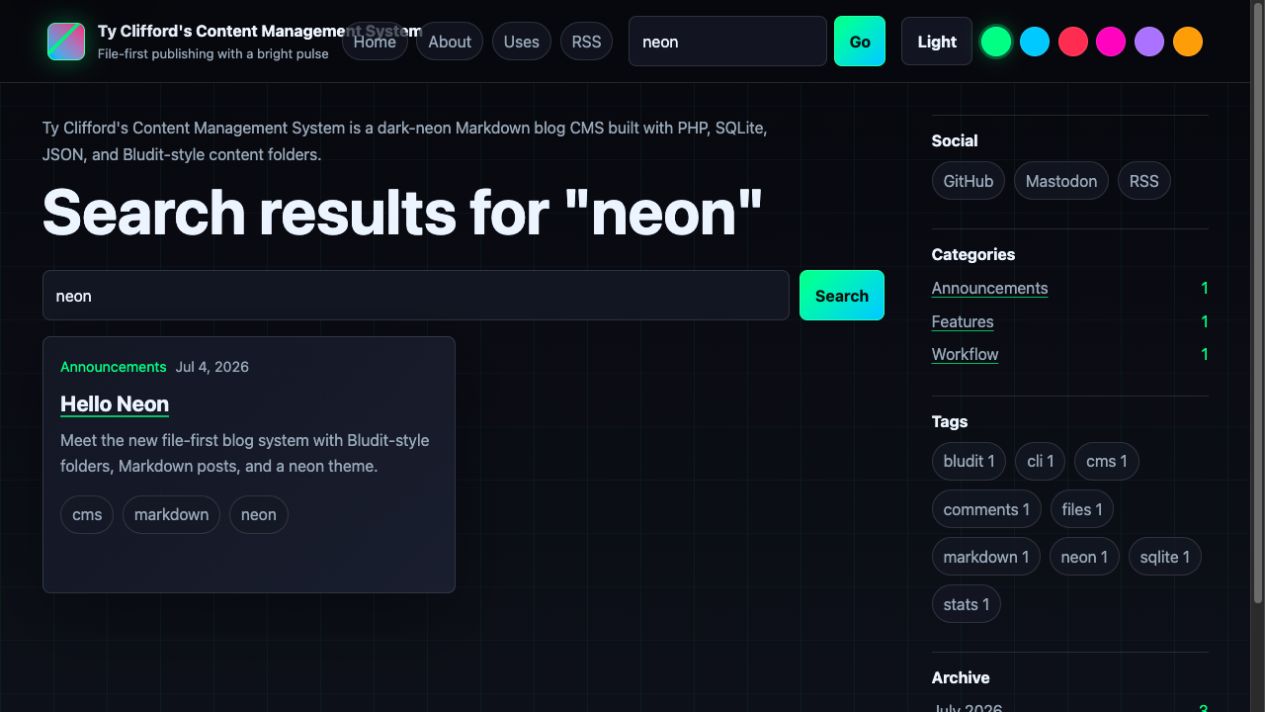
The showcase uses live screenshots from the demo pages and posts in this repository, preserving the grid background, sticky navigation, accent swatches, search, side rail, comments, and Markdown rendering.
README, demonstrated
TCMS is intentionally transparent. The README describes where content lives, how publishing works, how embeds are declared, how the API authenticates, and where operational data is stored.
Every post or page lives at bl-content/pages/<slug>/index.txt, so imports, backups, and hand edits stay understandable.
Markdown is rendered while allowing raw HTML, iframes, JavaScript, and PHP blocks for site-owner-controlled content.
Declare shortcodes in config/shortcodes.php or JSON. Built-ins include YouTube embeds and local video players through lone-embed.php.
SQLite stores moderated comments with captcha and honeypot protection, while visits stream to an Excel-ready CSV file.
Pretty URLs, search, pagination, categories, tags, archives, static pages, RSS, and sitemap output are included.
api.php exposes authenticated management for posts, pages, media, comments, autosave, publishing, updates, and deletes.
Author workflow
The canonical store remains plain text plus a small metadata block. That makes TCMS easy to move, inspect, diff, script, and recover.
bl-content/pages.php cli/blog.php help
php cli/blog.php list --all
php cli/blog.php create "New Post" --status=published --category=Notes --tags=php,markdown
php cli/blog.php update hello-neon --title="Hello Neon"
php cli/blog.php comments:list --status=pending
php cli/blog.php stats:summary
php cli/blog.php rebuildMedia and shortcodes
Shortcodes turn common media needs into repeatable author syntax. A YouTube ID can become a privacy-friendly iframe; a local video can become a full-frame HTML5 player through lone-embed.php; direct images, videos, and media links can join the public lightbox slideshow.
[youtube=dQw4w9WgXcQ]
[video poster=poster.jpg file=file.mp4]
config/shortcodes.php
config/shortcodes.json
bl-content/uploadsNative companion
The native macOS 12+ client lives in macclient/ and points at any TCMS site URL. It calls api.php with the username and password stored in the site's .env, then manages the same portable posts, pages, media, and comments from a desktop workspace.
# New Post
Start writing here.
Local autosave + optional remote draft autosave.
Get the code
Grab the repository, run the local server, open the demo pages, and build the native Mac client when you want desktop management. You can also visit Ty Clifford's real live blog to see the public site in context.
tyclifford.com/blog git.tyclifford.com/snick/tcmsgit clone https://git.tyclifford.com/snick/tcms
cd tcms
php -S 127.0.0.1:8080 router.php
cd macclient
./build-app.sh
open TCMS.app